
Debian 12 FTP Source Error
If you get this error when running sudo apt update it is because of a source that points to a Debian 13 source.
The Error:
Error
N: Repository 'http://ftp.debian.org/debian stable InRelease' changed its 'Version' value from '12.11' to '13.1'
E: Repository 'http://ftp.debian.org/debian stable InRelease' changed its 'Codename' value from 'bookworm' to 'trixie'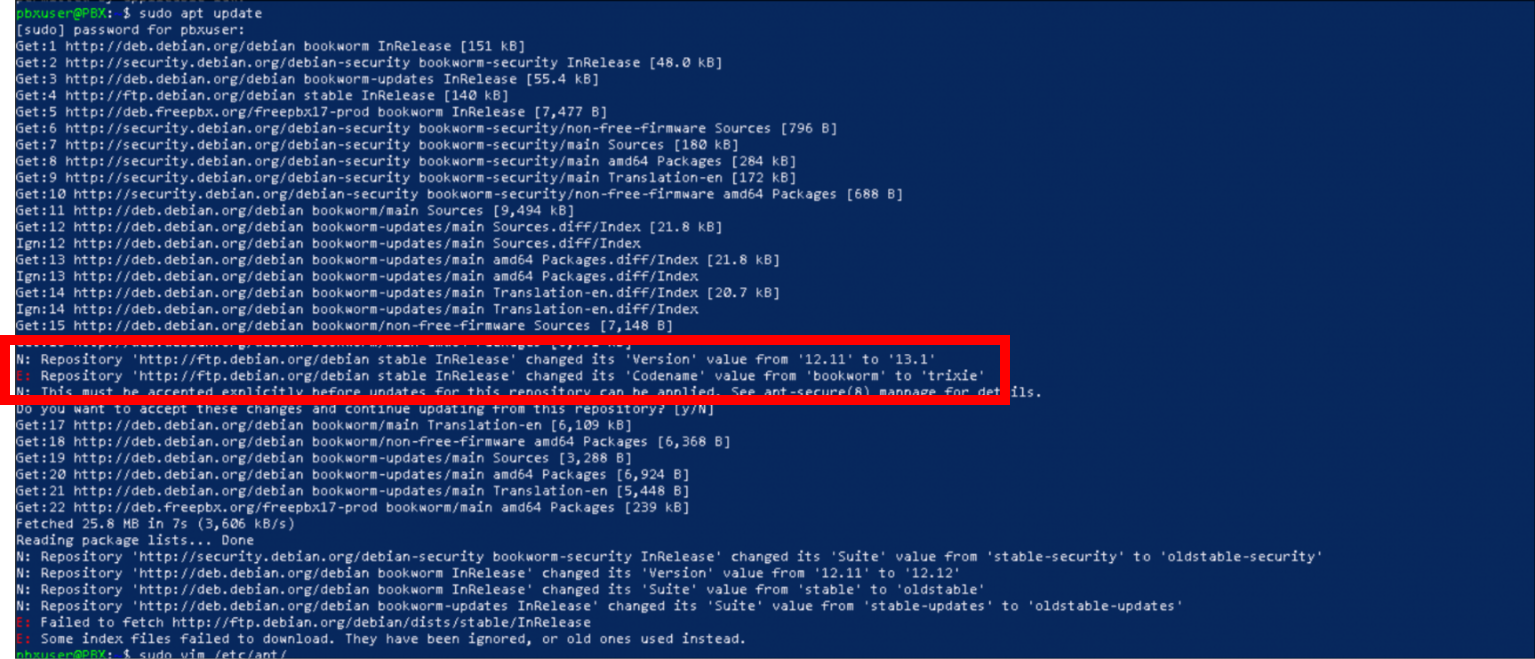
The
Fix:
If you get this error when running sudo apt update it is because of a source that points to a Debian 13 source. Sometimes PBX will also display an error message in the update module
Solutions
fwconsole fix
This is the recommended solution provided in pbx. It seems to be able to detect the error automatically itself.
fwconsole sa disable-deb-update-v13sudo apt update -y && sudo apt upgrade -yManual Fix
One line fix command:
sudo sed -i '/stable/ s/\bstable\b/bookworm/' /etc/apt/sources.list.d/archive_uri-http_ftp_debian_org_debian-bookworm.listsudo apt update -y && sudo apt upgrade -yElse edit by hand:
- Edit /etc/apt/sources.list.d/archive_uri-http_ftp_debian_org_debian-bookworm.list
sudo vim /etc/apt/sources.list.d/archive_uri-http_ftp_debian_org_debian-bookworm.list - Change the first line from:
deb [arch=amd64] http://deb.freepbx.org/freepbx17-prod stable mainTo this:
deb [arch=amd64] http://deb.freepbx.org/freepbx17-prod bookworm main - Save it and now you can run your updates:
sudo apt update -y && sudo apt upgrade -y